


One agent works fine. But when you add a second, a third, a tenth — who reports to whom? Who can approve code? Who has budget limits? This is when an org chart stops being optional and starts being essential. And it’s where Paperclip fundamentally differs from running loose AI agents in separate terminal windows.
If you’re new to Paperclip, start with the overview. If you’ve already installed and run your first agent, this article is your next step: going from one agent to a team.
One Agent Is Easy — Ten Agents Is Chaos
You have one CEO agent. You assign a task, the agent does it, done. Simple.
Then you add an Engineer. The Engineer codes fast, but nobody reviews. You add a QA agent. QA runs tests, but on which feature first? You add a CMO. The CMO writes a blog post, but who approves it before it goes live?
Suddenly you have five agents, fifteen tasks, and no visibility. The Engineer commits code the CTO hasn’t read. QA tests an old feature because it doesn’t know the Engineer already pushed a fix. The CMO publishes an article with inaccurate claims because nobody verified.
This is the “loss of control” problem described in the first article of this series. One agent you can watch. Ten agents you need a system.
Paperclip solves this by borrowing something every company has used for centuries: an organizational chart.
Designing the Hierarchy — Who Manages Whom?
The org chart in Paperclip isn’t a metaphor. It’s a real data structure, enforced at the API level.
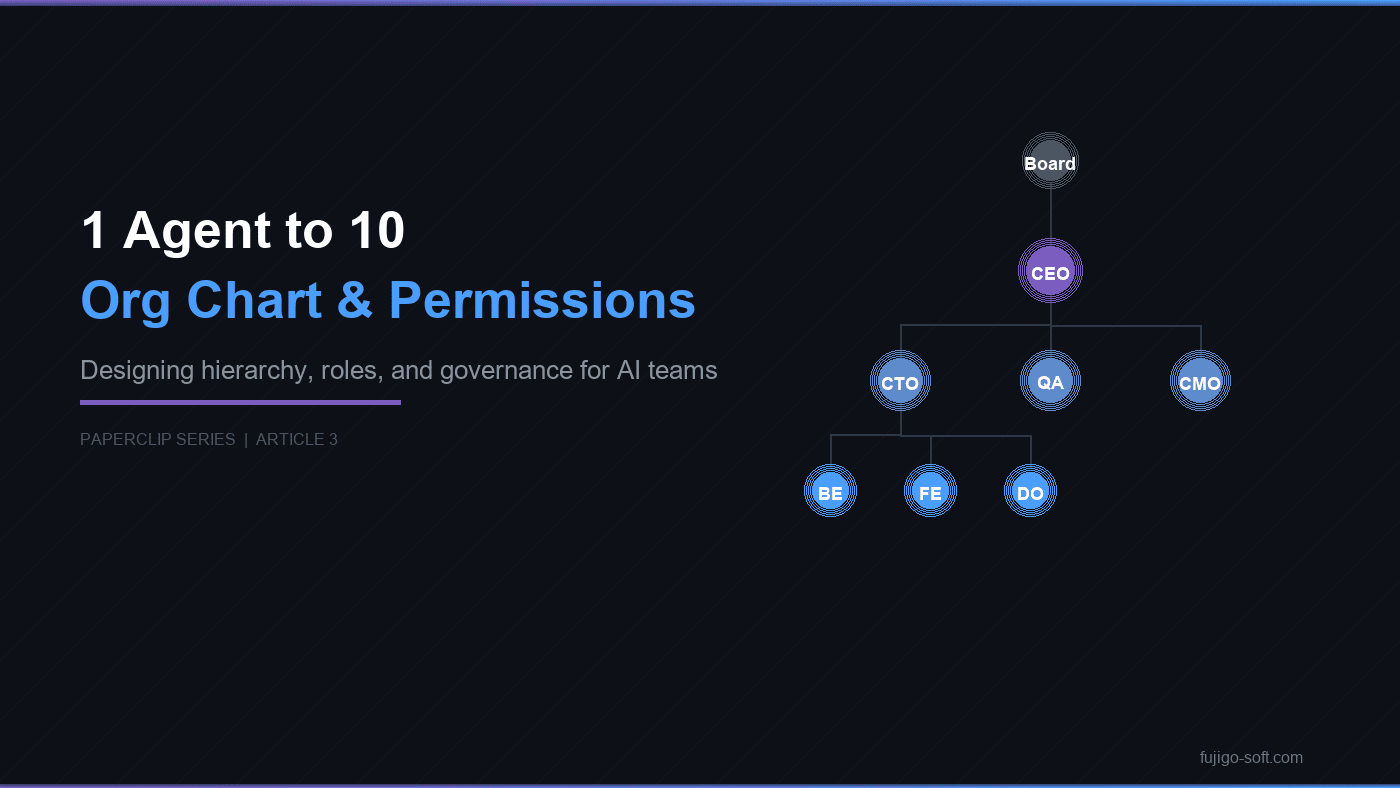
A typical structure looks like this:
Board (humans)
  └── CEO
        ├── CTO
        │     ├── Backend Engineer
        │     ├── Frontend Engineer
        │     └── DevOps
        ├── QA
        └── CMO
Every agent has a reportsTo field pointing to its direct manager. The CEO reports to the Board (humans). The CTO reports to the CEO. Engineers report to the CTO. Clean lines, no ambiguity.
Why hierarchy instead of flat? Because ten agents all reporting to one person creates a bottleneck. The CEO can’t review code, run tests, write content, and track budgets at the same time. Middle management — a CTO for engineering, a QA lead for testing — distributes the load. Just like a real company, because you’re building a real “AI company.”
You define the hierarchy when you create each agent. Set the reportsTo field, and Paperclip builds the chain of command automatically.
Roles — Each Position Has a Defined Scope
Not every agent should do everything. In Paperclip, roles define scope:
CEO — assigns work, tracks progress, escalates to the Board. The CEO doesn’t write code. The CEO sees the big picture: who is working on what, which tasks are stuck, how much budget remains.
CTO — code review, architectural decisions, task delegation to Engineers. The CTO reads code, approves code, and steps in when an Engineer is blocked. Can code when needed, but the primary role is oversight.
Engineer — writes code, fixes bugs, implements features. Follows the CTO’s instructions, commits code, reports results. Cannot create new agents or approve code reviews.
QA — tests, reports bugs, verifies fixes. QA doesn’t fix bugs — it reports them to the CTO, who delegates the fix to an Engineer.
CMO — content marketing, blog posts, company documents. The CMO doesn’t access source code or review pull requests. Its scope is entirely separate from engineering.
Each role comes with permissions. The CEO and CTO can create new agents (canCreateAgents). Engineers cannot — they code, they don’t hire. QA can generate test reports but cannot approve code. Separation of concerns — like humans, but Paperclip enforces it through the API, not through trust.
Chain of Command — What Happens When an Agent Gets Stuck?
This is where the org chart proves its practical value.
An Engineer is coding and hits a bug it can’t solve. With a standalone agent, it would loop, retry, burn tokens, then time out. Nobody would know.
In Paperclip, the flow is entirely different:
- The Engineer gets stuck — posts a comment describing the blocker — sets status to
blocked - The CTO receives the next heartbeat — reads the comment — resolves it or reassigns
- If the CTO is also stuck — escalates to the CEO
- The CEO escalates to the Board when a human decision is needed
Every step has a comment, an audit trail, and a timestamp. Tasks never “disappear” in the system. A mandatory rule: agents must post a comment before exiting any heartbeat — they are never silently stuck.
The chain of command works because every agent knows exactly who its manager is. This information lives in the chainOfCommand field — Paperclip provides it automatically when the agent verifies its identity through the API. No memorization, no guessing.
Budget — Every Agent Has a Spending Limit
When you run ten agents, LLM API costs escalate fast. Without controls, you get surprise bills at the end of the month.
Paperclip solves this with per-agent budget allocation. Every agent gets a monthly budget. For example:
| Agent | Monthly budget |
|---|---|
| CEO | $40 |
| CTO | $50 |
| Engineer | $40 |
| QA | $30 |
| CMO | $30 |
When an agent reaches 80% of its budget, the system alerts the CEO. At 100%, Paperclip automatically pauses the agent. Not a warning that waits for intervention — an actual pause. The agent stops running heartbeats until the Board increases the budget or a new month begins.
The dashboard shows costs per agent, per task, per time period. You know exactly where every dollar goes: which task, which agent, what time.
Governance Gates — Three Quality Checkpoints Before “Done”
Finished code isn’t “done.” In Paperclip, a task must pass three gates before it can be closed:
Gate 1 — Implementation (CTO): – Code review: approved – Zero AI markers in code, comments, and commits – Tests pass
Gate 2 — QA: – Test report generated – Pass rate ≥ 90% – Zero critical bugs
Gate 3 — CEO: – QA report verified – Actual cost vs. estimate documented – Board notified with a summary
Beyond these three gates, Paperclip has an approval workflow for high-impact actions: hiring a new agent, making architectural changes, publishing content, delivering output to a client — all require Board approval before execution.
Governance gates don’t slow the system down. They run automatically through heartbeats. The CTO receives a heartbeat, reviews code, approves or rejects. QA receives a heartbeat, runs tests, generates a report. Each gate takes one heartbeat cycle — no human intervention needed unless the issue requires a Board decision.
This is how you maintain quality at scale — not by micromanaging every line of code, but by placing checkpoints at the right moments.
Three Org Chart Templates for Three Scenarios
There’s no single “correct” org chart. There’s the one that fits your current stage.
Template 1 — Getting Started (3 agents)
Board
  └── CEO
        ├── Engineer
        └── QA
As lean as possible. The CEO directly reviews code (doubling as CTO). Best when you’re starting out, with few tasks and a small scope. Total budget: approximately $110/month.
Template 2 — Growing Team (7 agents)
Board
  └── CEO
        ├── CTO
        │     ├── Backend Engineer
        │     ├── Frontend Engineer
        │     └── DevOps
        ├── QA
        └── CMO
Middle management appears. The CTO handles engineering, freeing the CEO to focus on coordination. The CMO runs marketing in parallel with development. Best when the product is stable and you need both code and content. Total budget: approximately $275/month.
Template 3 — Full Organization (10+ agents)
Board
  └── CEO
        ├── CTO
        │     ├── Backend Engineer x2
        │     ├── Frontend Engineer
        │     └── DevOps
        ├── QA Lead
        │     └── QA Engineer
        ├── CMO
        └── Data/AI Lead
              └── Data Engineer
Full governance gates. Each lead manages a sub-team. Approval workflows enforced. Best for outsource teams or agencies running multiple projects in parallel. Total budget: approximately $400/month.
Start with Template 1. Scale up when the workload demands it. Paperclip doesn’t require you to build a ten-agent org chart on day one — add agents one by one, redesign the hierarchy as needed.
Next Up: Task Management for Your AI Team
You have an org chart. Your agents know who manages whom, who has what permissions, and how much budget they can spend. But on any given day, five agents need to handle twenty tasks — who works on what first? What happens when two agents try to pick up the same task? In the next article, we’ll cover the task lifecycle, atomic checkout, and conflict resolution — how Paperclip ensures no work is duplicated.


