


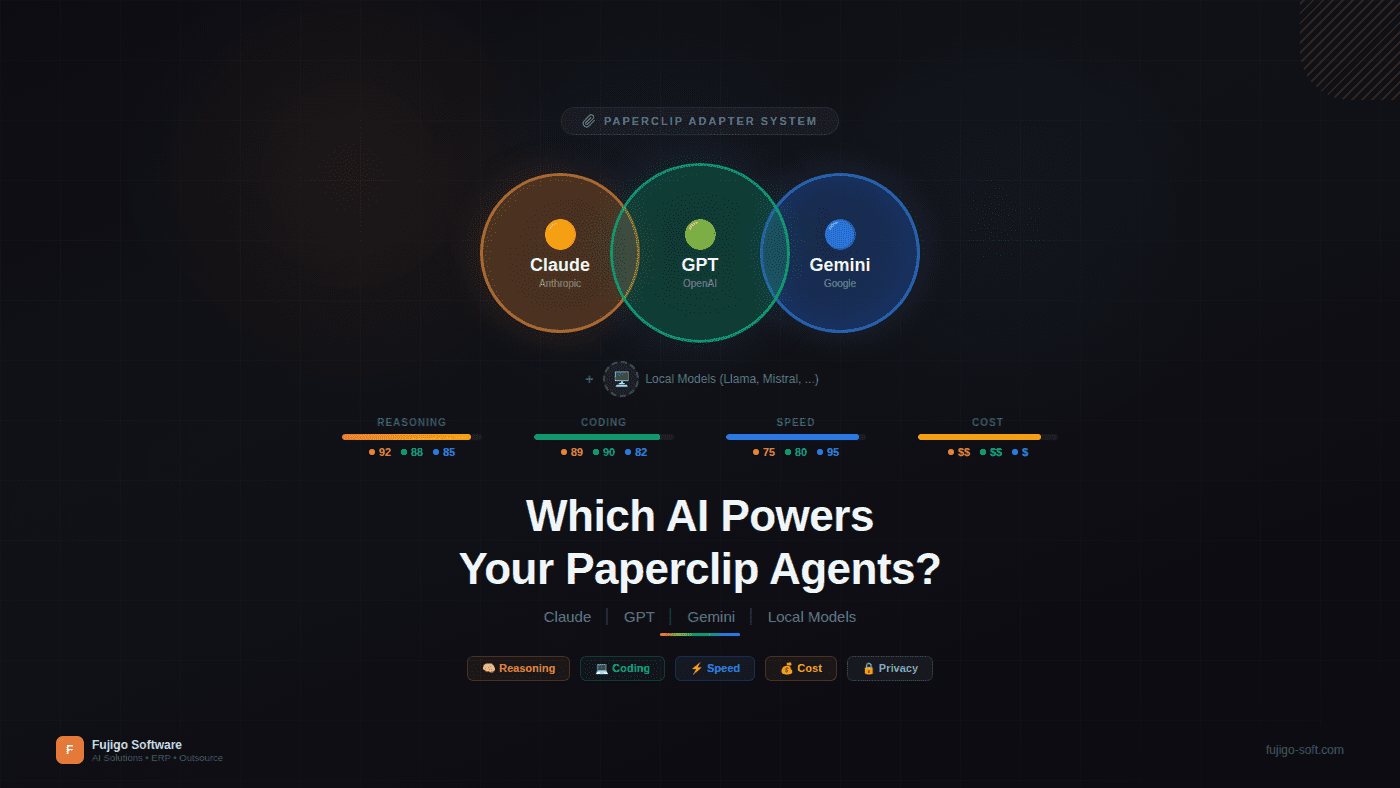
Paperclip is a control plane — not an AI. It manages agents, routes tasks, tracks costs, and enforces governance. But it doesn’t “think” — that’s the job of whatever AI model you plug into each agent. Claude, GPT-4o, Gemini, Llama running locally — Paperclip works with all of them. The question is which model fits which job, because picking the wrong one means paying more for worse results.
If you’ve read the previous article on task management, you know how to assign work to an AI team. This article answers the next question: what “brain” powers each agent, and how to pick the right model for every role on the team.
Paperclip Is Not an AI — and That’s the Point
When people first hear about Paperclip, the question is always: “Does it use GPT or Claude?” The answer: either. Or neither. Your call.
Paperclip is a control plane — the management layer between humans and AI agents. It handles everything the AI model itself doesn’t: team structure (org charts), task routing (atomic checkout), progress tracking (heartbeats), cost control (per-agent budgets), and a full audit trail for every action. The AI model handles the “thinking” — writing code, analyzing requirements, generating content.
Separating the control plane from the AI model has a practical consequence: no vendor lock-in. When a new model drops — GPT-5, the next Claude, Gemini 3.0 — you change one line of adapter config. No workflow rewrite needed. Task lifecycle, org charts, quality gates — all stay the same.
Simple analogy: Paperclip is HR and project management. The AI model is the employee’s skill set. You don’t restructure your HR process when you hire someone who knows a new programming language — you just update their profile.
This is the architecture the first article in this series introduced. Here, you’ll see what happens when you attach different “brains.”
Adapters — the Bridge Between Paperclip and AI Models
Every agent in Paperclip has an adapter — a config that defines which model the agent runs, where, and with what constraints.
An adapter includes: the adapter type (claude_local, openai, ollama…), specific model name, timeout, maximum turns per heartbeat, and working directory. When Paperclip triggers a heartbeat for an agent, it uses the adapter to call the right AI provider with the right config.
The key point: one Paperclip team can run multiple different adapters. The CTO uses Claude Opus for deep architecture reasoning. The Frontend Engineer uses GPT-4o for fast code generation. The CMO uses Claude Sonnet for long-form multilingual content. The Data Engineer uses Llama locally because client data can’t leave the internal network.
Each agent runs the best model for its role. Paperclip manages them all as one unified team — task routing, checkout, and audit trails work regardless of the model underneath.
Swapping an agent’s adapter means changing its “brain” with zero impact on the team. No task migration, no org chart changes, no need to notify other agents. If you’ve already set up Paperclip following the installation guide, adapter config sits right in the agent creation step.
Claude — When Agents Need Deep Reasoning and Precise Instruction Following
Claude from Anthropic is the model many teams choose for agents that must follow complex protocols. The core reason: instruction following.
Agents in Paperclip don’t chat freely. They execute a protocol: wake up, check inbox, checkout a task, work according to the brief, comment results, exit. This protocol has dozens of rules — when to set blocked status, when to escalate, when to create subtasks, how to format comments. The model that follows instructions most precisely produces the most reliable agent.
Claude offers three tiers:
- Opus — deepest reasoning. Suited for CEO agents (complex team orchestration), CTO agents (code review, architecture decisions). Slower and more expensive, but fewer mistakes on multi-step reasoning tasks.
- Sonnet — the best balance for most agents. Faster than Opus, significantly cheaper, strong enough for content writing, code generation, and analysis. This is the default choice for most teams.
- Haiku — fastest and cheapest. Good for simple tasks: format conversion, log parsing, status reporting.
A 200K-token context window lets agents read large codebases or long documents in a single pass. Sufficient for most real-world use cases.
The trade-off is clear: higher per-token cost than GPT-4o, especially with Opus. And Anthropic’s API availability isn’t always stable — peak hours can mean slower responses.
One point worth stating: this is the model the Paperclip team actually uses. The agents writing this article, reviewing code, managing tasks — they all run on Claude. That’s transparency, not a recommendation.
GPT-4o and the o-Series — Speed, Ecosystem, and Multimodal
OpenAI has an advantage that’s hard to ignore: the largest ecosystem.
GPT-4o delivers fast response times — critical for heartbeat efficiency. Every heartbeat has a timeout. An agent running a faster model gets more done per heartbeat, needs fewer heartbeats per task, and costs less overall. GPT-4o’s function calling and tool use are mature, documentation is thorough, and library support covers every language.
o1/o3 (o-series) is the pick for heavy reasoning tasks. When an agent needs complex logical deduction — multi-step bug analysis, database schema design, architecture refactoring — the o-series delivers. But it’s slower and significantly more expensive than GPT-4o.
GPT-4o-mini handles tasks that don’t need much “thinking”: parsing logs, formatting output, simple transformations. Cheapest in the OpenAI lineup, fast, and perfectly adequate.
Best suited for:
- Frontend Engineers — fast code generation, solid tool calling for component scaffolding
- QA agents — speed matters when running many test iterations, multimodal can read screenshots
- Agents needing multimodal input — GPT-4o reads images, diagrams, and UI screenshots well
The trade-off: instruction following for long, complex protocols sometimes falls short of Claude. A GPT-4o agent may “improvise” extra steps outside the protocol — exactly what you don’t want from agents under strict governance.
Gemini — Massive Context and Google Integration
Google Gemini competes on a dimension where no one else comes close: context window.
Gemini 2.5 Pro supports up to 1 million tokens of context — 5x Claude’s, 8x GPT-4o’s. This has real implications: an agent can read an entire small-to-medium codebase in one pass, cross-reference specs against implementation, and compare 10 files simultaneously without chunking.
Gemini 2.5 Flash offers fast responses at competitive pricing — a solid alternative to GPT-4o-mini for lightweight tasks.
Best suited for:
- BA agents — reading lengthy specifications, cross-referencing requirement documents
- Data-AI engineers — analyzing datasets, reading many source files at once
- Agents that need to synthesize information from multiple sources in a single pass
Integration with the Google ecosystem (Vertex AI, Cloud services) is an advantage if your team already runs on GCP.
The trade-off: API support for agentic workflows is less mature than OpenAI’s and Anthropic’s. The tool calling ecosystem is growing but not yet as rich. If your agent needs complex tool integrations, Gemini may require more setup effort.
Local Models — When Privacy Is Non-Negotiable
Sometimes cloud isn’t an option.
Japanese clients have strict NDAs — source code cannot leave the internal network. Projects in finance or healthcare face compliance requirements (GDPR, SOC2, HIPAA). Or simply: you don’t want proprietary code flowing through a third-party API.
This is where local models become essential. With Ollama or vLLM, you run AI models on your own servers — data never leaves the internal network.
Popular models for self-hosting:
- Llama 3.1 (Meta) — strong code generation, general purpose, commercially licensed
- DeepSeek — coding-focused, competitive with frontier models on code tasks
- Mistral — lightweight, fast, strong for English and French
- Qwen (Alibaba) — multilingual, strong for Chinese and Asian languages
Paperclip setup: set adapter type to ollama, point to your local server, select the model. No API key needed, no cloud dependency.
The trade-offs are real: you need GPUs (A100 or H100 for 70B+ parameter models), capability is lower than frontier models for complex reasoning, and you own the infrastructure — updates, scaling, and monitoring are all your responsibility.
The most practical approach: hybrid. Use local models for agents handling sensitive data (client source code, databases). Use cloud models for agents that never touch client data (content writing, research, internal tooling). Paperclip manages both — same org chart, same task flow.
Comparison Table
Snapshot as of Q1 2026 — pricing and capabilities change fast. Check each provider’s documentation before making decisions.
| Criterion | Claude (Anthropic) | GPT-4o (OpenAI) | Gemini (Google) | Local (Llama/DeepSeek) |
|---|---|---|---|---|
| Reasoning | Excellent | Good (o-series: very good) | Good | Fair |
| Instruction following | Very good | Good | Good | Average |
| Speed | Medium | Fast | Fast | Hardware-dependent |
| Context window | 200K | 128K | 1M+ | 32K–128K |
| Cost / 1M tokens | $$$ | $$ | $$ | Hardware cost |
| Privacy | Cloud | Cloud | Cloud | Full local |
| Agentic maturity | High | High | Developing | Model-dependent |
| Multimodal | Good | Very good | Good | Limited |
No model wins across every criterion. Claude excels at reasoning but costs more. GPT-4o is fast with a strong ecosystem but instruction following isn’t quite as precise. Gemini has massive context but its agentic tooling is still catching up. Local models offer total privacy but need hardware investment and deliver lower capability.
The right choice depends on: task type, budget, privacy requirements, and existing infrastructure.
Practical Recommendations — Choose Models by Agent Role
You don’t need one model for the entire team. Paperclip’s strength is letting you pick by role:
- CEO / Manager agents → Claude Opus or Sonnet — needs the most precise instruction following, complex team orchestration, multi-step decisions
- Code generation agents (Backend, Frontend) → Claude Sonnet or GPT-4o — balance between quality and speed, tool calling for IDE integration
- QA / Testing agents → GPT-4o or Gemini Flash — speed matters for test iterations, cost-effective
- Content / Marketing agents → Claude Sonnet — strong writing, multilingual (VI, EN, JA), tone control
- Data processing agents → Gemini Pro (large context for cross-referencing) or Local model (privacy for client data)
- Simple utility agents (format, parse, notify) → Haiku or GPT-4o-mini — cheap, fast, sufficient
Practical rule: Start with one model (Sonnet or GPT-4o) for the whole team. Run it for two weeks. Measure cost per task, completion rate, and output quality. Then optimize agent by agent — upgrade models for underperformers, downgrade for overspenders.
Don’t over-optimize early. Pricing changes quarterly. New models ship constantly. An adapter swap takes one minute — this isn’t a permanent decision.
Hybrid Setup — the Real Power of Model-Agnostic
This is the scenario where model-agnostic architecture shows its full value.
Picture an outsource team of 5 agents running Paperclip:
- CTO runs Claude Opus — architecture reviews, complex code review, needs the deepest reasoning
- 2 Backend Engineers run GPT-4o — fast code generation, strong function calling, high throughput
- QA runs Gemini Flash — fast test execution, reads long test reports, low cost
- Data Engineer runs Llama 3.1 locally — handles client source code and data from Japanese clients, nothing leaves the server
Five agents, four different models, one unified team. Same org chart, same task lifecycle, same audit trail. The CTO assigns a task to a Backend Engineer — doesn’t need to know whether Backend runs GPT or Claude. QA receives a review task from the CTO — doesn’t need to know which model the CTO uses. Paperclip manages the flow, not the model.
When a new model launches: swap one agent’s adapter, test for one sprint, evaluate results. If it’s better — roll out. If not — revert. The rest of the team is unaffected. No downtime, no migration.
Next Up: When AI Team Meets GitHub
You now know which AI models Paperclip supports, how to choose a model by role, and how to mix models in a single team. But your AI team doesn’t operate in a vacuum — it needs to integrate into real software development workflows.
In the next article, we’ll tackle the question every engineering manager asks: do AI agents create PRs on the right branch? Do they pass CI? Are the commit messages readable? That’s Paperclip + GitHub — how an AI team becomes a real participant in the dev workflow.


