

 Vietnamese
 Japanese
 English
Diagram Design: 29 editorial diagram types for Claude Code
Fujigo Software Solutions
Member of M&C Holdings (Japan)
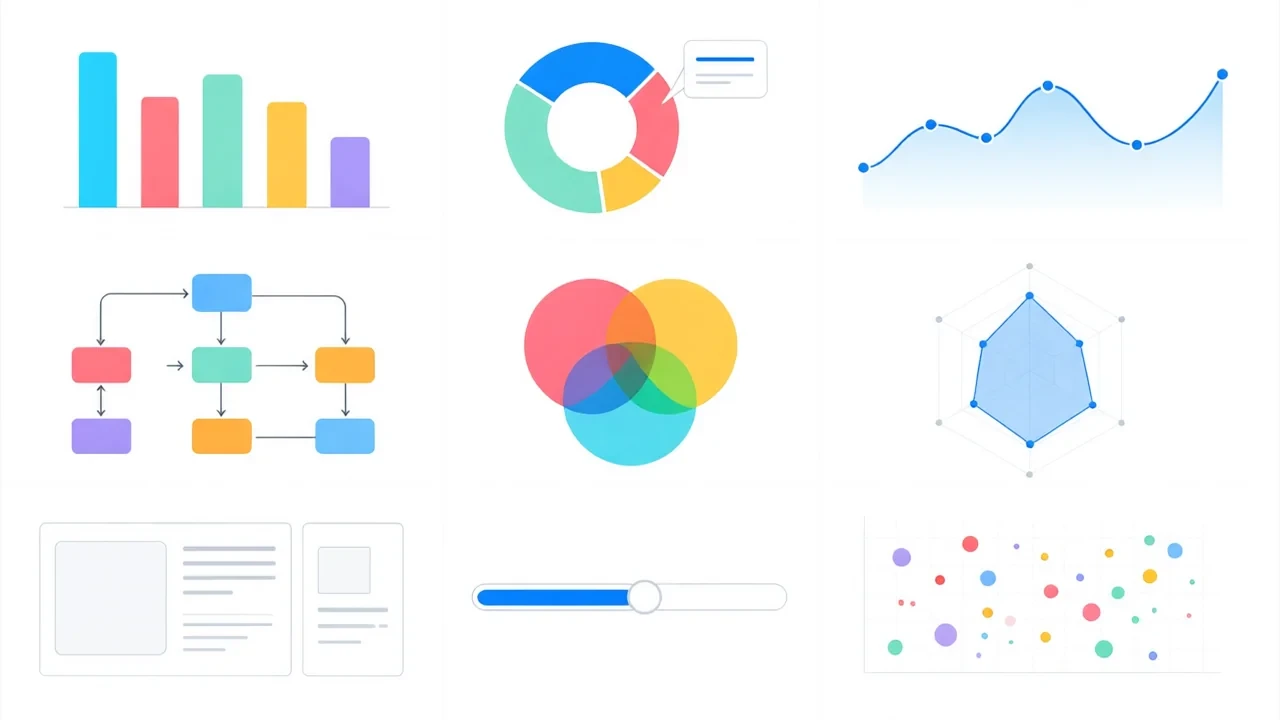
What is Diagram Design?
When working with AI coding assistants like Claude Code, creating diagrams often runs into a problem: tools like Mermaid produce “industrial-looking” outputs that lack editorial polish. The diagram-design repository by cathrynlavery has climbed to #1 on GitHub Trending with over 17,200 stars, solving this exact problem.
Diagram Design provides 29 editorial diagram types as self-contained HTML + SVG files. No external dependencies, no Mermaid, and notably: no shadows — maintaining the clean, professional aesthetic of editorial design.
Why diagram-design went viral
The problem with Mermaid and existing tools
Mermaid is the most popular tool for generating diagrams from text. However, Mermaid’s output has several limitations:
- Industrial look: Default fonts, muted colors, rigid layouts
- Hard to customize: Changing styles requires complex CSS overrides
- Runtime dependency: Needs JavaScript rendering, doesn’t work in static environments
- “Mermaid-slop”: The term the repo author uses for Mermaid’s unsophisticated output
The diagram-design solution
Instead of generating from text, diagram-design provides complete HTML + SVG templates:
- Each diagram is a standalone HTML file, viewable immediately in any browser
- Inline SVG — no JavaScript needed, no CDN required
- Consistent style: clear typography, refined colors, balanced layouts
- Easy to copy-paste into Claude Code prompts for AI customization
The 29 diagram types
The collection covers nearly all illustration needs in technical and business documentation:
Architecture diagrams
- System architecture: Display system components and connections
- Data flow: Visualize data flow from source to destination
- Deployment diagram: Infrastructure deployment layouts
Process diagrams
- Process flow: Steps in a business process
- Decision tree: Decision trees with yes/no branches
- Timeline: Event timelines
Organization and relationship diagrams
- Org chart: Company organization charts
- Relationship map: Entity relationship maps
- Hierarchy: Hierarchical structures
Comparison and analysis diagrams
- Comparison matrix: Feature comparison matrices
- SWOT analysis: Strengths, weaknesses, opportunities, threats analysis
- Venn diagram: Set intersection Venn diagrams
Special diagrams
- User journey: User journey maps
- State machine: State machines
- Sequence diagram: Interaction sequence diagrams
Practical applications
In development workflow
When working with Claude Code, developers can:
- Select the appropriate template from the 29 types
- Paste it into the prompt along with a request: “Create an architecture diagram for my microservices application”
- Claude Code generates a complete HTML file
- Open in browser to view, or export as SVG to embed in documentation
In technical documentation
Technical writers use diagram-design to:
- Create consistent illustrations across all documentation
- No need to learn complex design tools
- Lightweight output, fast loading, responsive on all devices
In presentations
Business analysts use it to:
- Create slides illustrating business processes
- Export high-quality SVG for PowerPoint/Keynote
- Quickly update when processes change
Comparison with other solutions
| Criteria | Mermaid | diagram-design | Draw.io |
|---|---|---|---|
| JS dependency | Yes | No | Yes |
| Default style | Industrial | Refined editorial | Basic |
| AI integration | Difficult | Natural (HTML) | None |
| Self-contained | No | Yes | No |
| Template count | Unlimited (generated) | 29 (curated) | Hundreds |
diagram-design’s strength isn’t quantity but curation quality — each template is carefully designed to ensure output is always beautiful and professional.
Why “no shadows”?
The author emphasizes “no shadows” as a design philosophy. In editorial design — the style of high-quality magazines and newspapers — shadow effects are avoided because:
- Flatness: Makes information stand out without distraction
- Print: Shadows render poorly on printed paper
- Accessibility: Visually impaired users can read flat content more easily
- Professionalism: Minimalist style conveys professionalism
Repository structure
diagram-design/
├── templates/
│   ├── system-architecture.html
│   ├── data-flow.html
│   ├── process-flow.html
│   ├── org-chart.html
│   └── ... (29 files)
├── examples/
│   └── ... (usage examples)
├── README.md
└── LICENSE
Each HTML file in templates/ is completely standalone — no imports, no dependencies, just double-click to open.
Conclusion
Diagram-design represents an interesting philosophy: instead of trying to build a perfect diagram generation tool, provide high-quality templates that AI can customize. In the era of AI coding assistants, this approach is far more practical than building complex DSLs.
With 17,200+ stars on GitHub, the community has spoken: developers need diagrams that are beautiful, fast, and easy to integrate with AI workflows — not another complex tool.
The repo on GitHub: github.com/cathrynlavery/diagram-design